Your prompts stay on your machine
Every AI music tool in the cloud sees what you're making. rAIdio.bot doesn't. There is no server. There is no account. There is no “usage data.” Your creative process is yours alone.
Local AI Music Studio
rAIdio.bot is a complete AI music studio that runs entirely on your GPU. No subscription. No account. No upload. No telemetry. Just you, your hardware, and the music you make.
Hear it
Each track is generated by rAIdio.bot, on a local GPU. No cloud inference. No upload, No subscriptions, Press play
Every AI music tool in the cloud sees what you're making. rAIdio.bot doesn't. There is no server. There is no account. There is no “usage data.” Your creative process is yours alone.
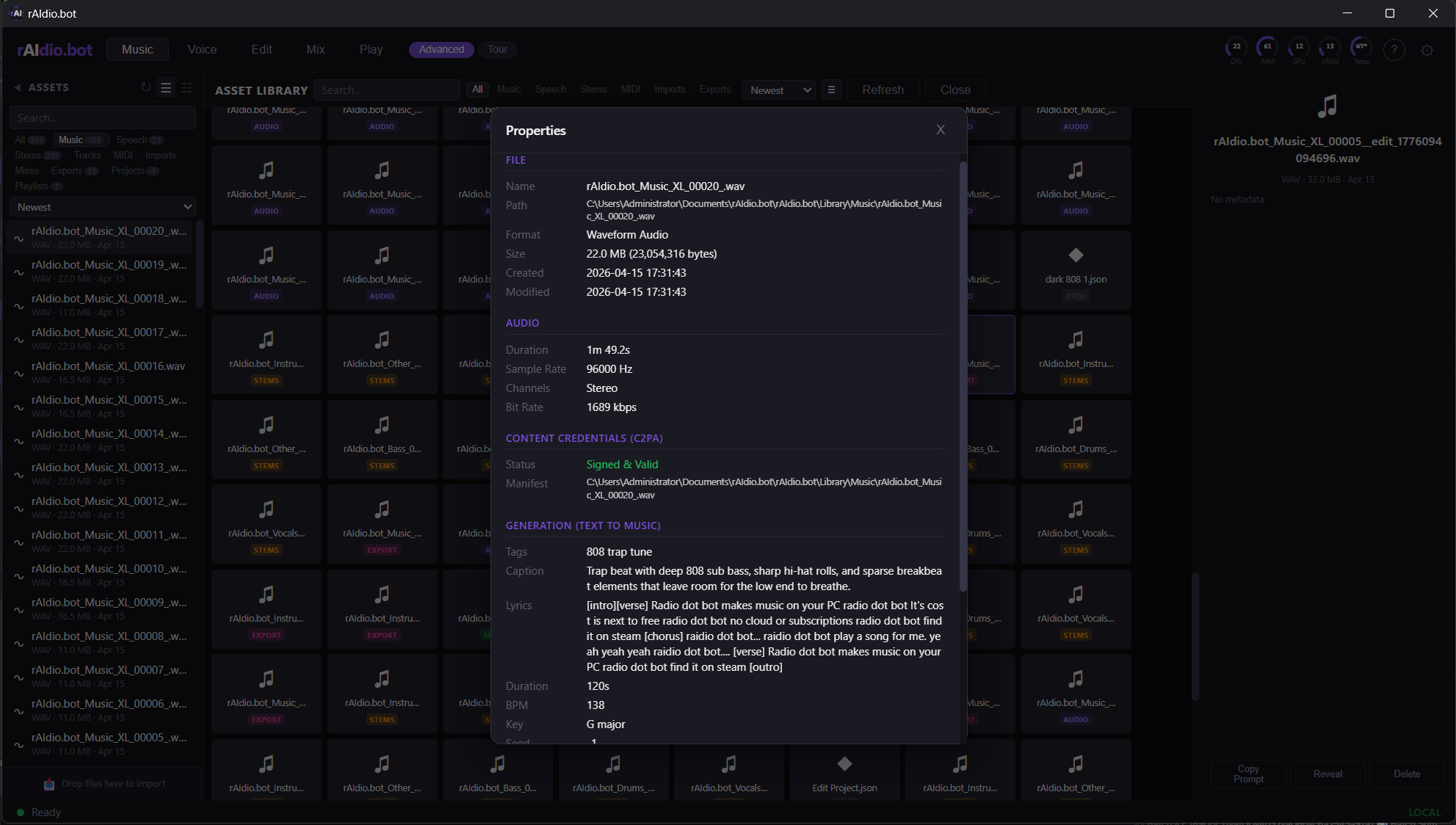
Every file rAIdio.bot creates carries a C2PA content credential, the same cryptographic provenance standard adopted by Adobe, the BBC, and Sony cameras. Alongside it: tempo, key, seed, sampler, and model identity in iXML and acid formats every major DAW already reads. Signed authorship for the lawyers. Useful metadata for the producer.
Pay once. Own it. rAIdio.bot runs forever on the version you install. No server to shut down. No subscription to lapse. No company to pivot away from you.
What it does
Describe what you want. Get a full, original song in seconds.
One click, and a local model sharpens your prompt. Nothing leaves the machine.
Grow a track past its original length, or regenerate just a selected section.
Right-click any generated file to reload its exact settings and re-render.
A short sample is enough. Consent attestation built into the workflow.
Natural-sounding speech. Perfect for narration, podcasts, spoken music elements.
Write a script with a cast of distinct voices and render a full narration. Per-line emotion, recast a voice, re-render single lines.
Emotion and intensity presets for spoken and sung voice.
30 minutes of clean recordings → a personal voice model, trained in 1–3 hours on your GPU.
Vocals, drums, bass, other. Meta Demucs running locally.
Trim, cut, fade, 10 built-in effects. Non-destructive, real-time preview.
Drag stems, adjust per channel, master with EQ, compressor, stereo width.
Feed any song. Get synced lyrics, toggle vocals. Works over video too.
Drop in a video. Get a matching soundtrack generated locally.
Describe a mood or hand it a video. An on-device AI plans the soundtrack.
Neural transcription via Spotify's basic-pitch. Best on isolated stems.
Every export carries BPM, key, and seed metadata in iXML, acid, and C2PA standards, plus a .raidio.json lineage sidecar. Drop into Ableton, Logic, FL Studio, Pro Tools, Reaper, Studio One, Cubase, or Bitwig. Tempo is set on import. No manual warping.
A voice conversion model is included in the toolkit.
Analyze any track. Get the chord progression with timing.
Each track and session gets its own project folder. Renders auto-collect.
See inside
Running on a real Windows desktop, real GPU, real audio library. These are live captures, not mockups.


The difference
| rAIdio.bot | Cloud AI Music Tools | |
|---|---|---|
| Runs locally | ✓ | ✗ |
| One-time purchase | ✓ | Subscription |
| Works offline | ✓ | ✗ |
| Your prompts stay private | ✓ | ✗ |
| No account required | ✓ | ✗ |
| Signed provenance (C2PA) | ✓ | ✗ |
| DAW-ready metadata (BPM, key) | ✓ | ✗ |
| Open SBOM | ✓ | ✗ |
| EU AI Act transparency | ✓ | ? |
| Unlimited generations | ✓ | Credits |
| You own your output | ✓ | Varies |
Running live, every day
The production engine behind rAIdio.bot has been broadcasting Doomscroll.fm continuously since July 2025, a 24/7, fully AI-produced news, music, and commentary stream. Thousands of episodes, hundreds of hours of programming, zero human operators in the loop. If you want to hear what the engine can sustain without a break, it's on the air right now.
Listen to Doomscroll.fm →The app needs a license key to run. One key, €19.99, one time. No subscription.